
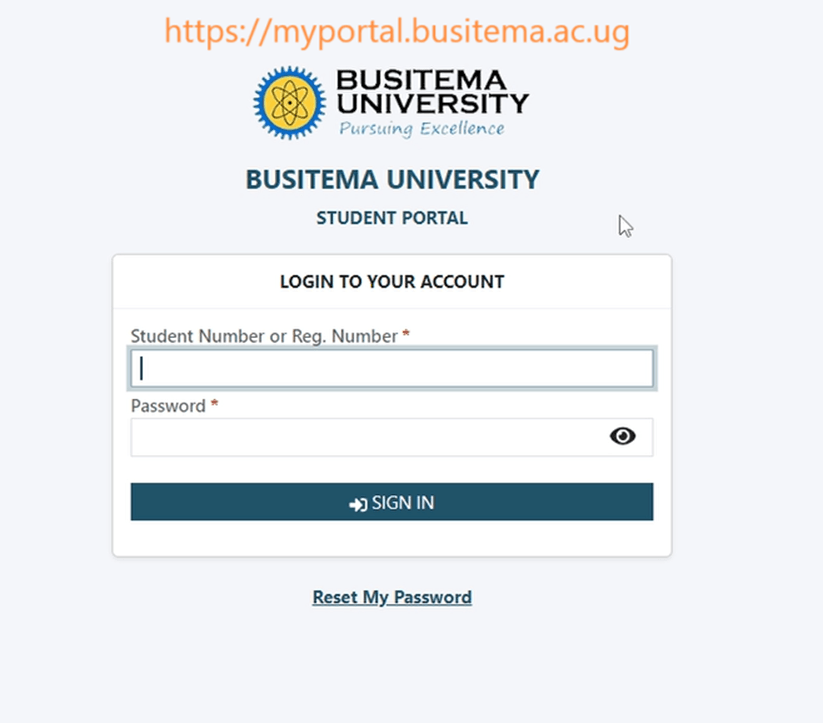
The Busitema University Students Portal is an essential online platform designed to support academic and administrative activities for students of Busitema University, one of Uganda’s public universities known for its focus on science, technology, engineering, and education.
This portal acts as a central digital hub where students can easily access important services without needing to visit different university offices physically. It improves efficiency, communication, and academic management for both students and staff.
What is the Busitema University Students Portal?
The student portal is an online system that allows registered students to manage their academic information in one place. Through the portal, students can log in using their credentials to access personalized services such as course registration, results checking, fee payment details, and academic updates.
It is part of the university’s broader effort to digitize learning and administrative processes, making education more accessible and organized.
Key Features of the Portal
The Busitema University student portal provides a wide range of services, including:
1. Course Registration
Students can register for their semester courses online. This reduces paperwork and ensures faster processing of academic records.
2. Examination Results
After exams, students can log into the portal to view their results as soon as they are released.
3. Fee Management
The portal provides access to tuition balances, payment history, and sometimes allows downloading of payment slips or invoices.
4. Admission Status
Newly admitted students can check their admission status and download admission letters through the system.
5. Academic Calendar and Notices
Students receive updates on important academic dates such as semester start dates, exam schedules, and registration deadlines.
6. Profile Management
Students can update personal information such as contact details, next of kin, and other records.
How to Access the Portal
To use the Busitema University Students Portal, follow these general steps:
- Visit the official Busitema University website.
- Navigate to the student portal section.
- Enter your student registration number and password.
- Click login to access your dashboard.
New users are usually required to activate their accounts using credentials provided by the university during admission.
Benefits of the Student Portal
The portal provides several advantages:
- Convenience: Students can access services anytime and anywhere.
- Efficiency: Reduces delays in administrative processes.
- Transparency: Students can easily track academic progress and financial records.
- Improved Communication: Important announcements are shared quickly.
Challenges Students May Face
Despite its usefulness, students may occasionally face challenges such as:
- Difficulty logging in due to forgotten passwords
- Slow system response during peak times
- Limited internet access in some areas
The university usually provides IT support to help resolve these issues.
Conclusion
The Busitema University Students Portal is a vital tool that simplifies academic life for students of Busitema University. By centralizing services such as course registration, results checking, and fee management, it enhances efficiency and supports the university’s goal of modernizing education through digital systems.
As technology continues to evolve, the portal is expected to become even more advanced, offering students a smoother and more integrated academic experience.
(FAQs) – Busitema University Students Portal
1. What is the Busitema University Students Portal?
The Busitema University Students Portal is an online system that allows students of Busitema University to access academic and administrative services such as course registration, results checking, and fee information.
2. How do I log into the student portal?
To log in:
- Visit the official Busitema University website
- Open the student portal section
- Enter your student registration number and password
- Click “Login” to access your account
3. What should I do if I forget my password?
If you forget your password, use the “Forgot Password” option on the login page or contact the university ICT support office for assistance.
Also Read: Kirsten Dunst: From Child Star to Hollywood Icon
4. Can I register for courses online?
Yes. The portal allows students to register for their courses each semester without visiting the academic offices physically.
5. How can I check my examination results?
After results are released, you can log into the portal and navigate to the results section to view your academic performance.
6. Can I access the portal on my phone?
Yes. The portal is accessible on smartphones, tablets, laptops, and desktop computers as long as you have an internet connection.
7. What should I do if the portal is not loading?
If the portal is slow or not loading:
- Check your internet connection
- Try again later during off-peak hours
- Clear your browser cache
- Contact ICT support if the issue persists
8. Is the portal available 24/7?
Yes, the portal is generally available at all times, except during maintenance or system updates.
9. Can I update my personal information on the portal?
Yes. Students can update details such as contact information, address, and next of kin through the profile section.
10. Who should I contact for portal-related issues?
You should contact the Busitema University ICT support team or the academic registrar’s office for help with login issues, errors, or account access problems.
