
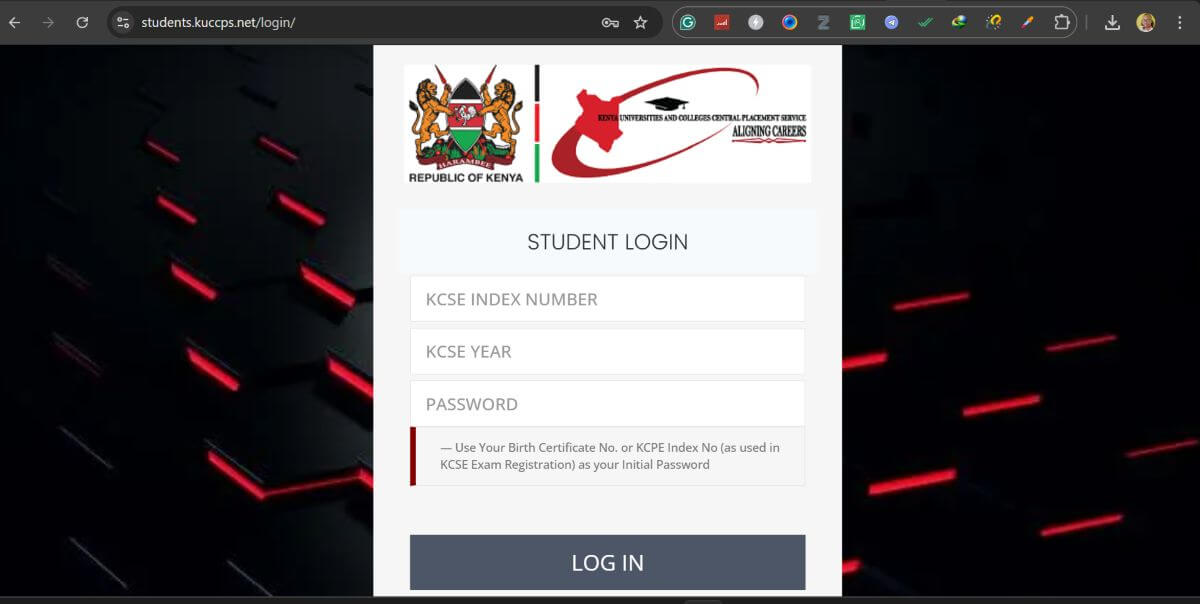
The Kenya Universities and Colleges Central Placement Service (KUCCPS) Student Portal is an essential online platform that helps Kenyan students apply for university and college placements, revise course choices, and track admission status. Whether you are a KCSE candidate or a continuing student, understanding how this portal works can make your academic journey smoother.
In this guide, we’ll break down everything you need to know about the KUCCPS Student Portal—features, login steps, application process, and more.
What is the KUCCPS Student Portal?
The KUCCPS Student Portal is an official online system where students can:
- Apply for placement in universities and TVET institutions
- Revise course and institution choices
- Check placement results
- Access admission letters and details
It acts as a bridge between students and higher learning institutions in Kenya.
Key Features of KUCCPS Student Portal
Here are some of the main features that make the portal useful:
1. Course Application
Students can apply for various degree, diploma, and certificate programs based on their KCSE performance.
2. Revision of Choices
If you don’t meet the cutoff points for your initial course, the portal allows you to revise your selections.
3. Placement Results
Once placements are done, you can log in to see which institution and course you’ve been assigned.
4. Institution Details
The portal provides information about available universities, colleges, and programs.
5. Payment Integration
Students can pay application or revision fees directly through the portal using mobile money services like M-Pesa.
How to Register and Login to KUCCPS Portal
Follow these simple steps to access your account:
Step 1: Visit the Official Website
Go to the KUCCPS Student Portal via the official KUCCPS website.
Step 2: Enter Login Credentials
- Username: Your KCSE Index Number
- Password: Your KCPE Index Number or birth certificate number
Step 3: Access Dashboard
After logging in, you’ll be directed to your dashboard where you can apply, revise choices, or check results.
How to Apply for Courses
Applying through the KUCCPS portal is straightforward:
- Log in to your account
- Navigate to the “Application/Revision” section
- Select your preferred courses and institutions
- Submit your choices
- Pay the required application fee
- Confirm submission
Make sure to double-check your course codes before submitting.
KUCCPS Placement Process Explained
The placement process is merit-based and depends on:
- KCSE performance
- Cluster subject requirements
- Course demand and capacity
- Student preferences
KUCCPS uses a weighted cluster points system to determine eligibility for specific courses.
Benefits of Using KUCCPS Portal
- Convenience: Apply from anywhere, anytime
- Transparency: Track your application status
- Flexibility: Revise choices easily
- Accessibility: Available on both desktop and mobile devices
Common Issues and Troubleshooting
Forgotten Password
Use your KCPE index number or birth certificate number to reset your password.
Login Errors
Ensure your details are correct and avoid extra spaces when entering your credentials.
Payment Issues
Confirm your M-Pesa transaction and ensure you enter the correct reference number.
Tips for a Successful Application
- Research courses and institutions carefully
- Choose programs aligned with your KCSE grades
- Apply early to avoid last-minute issues
- Keep your login details secure
FAQs About KUCCPS Student Portal
1. Who can use the KUCCPS portal?
All KCSE candidates eligible for placement in Kenyan universities and colleges.
2. Can I change my course after submission?
Yes, during the revision window announced by KUCCPS.
Also Read: Mila Kunis: From Sitcom Star to Hollywood Powerhouse
3. How do I know if I’ve been placed?
Log in to the portal and check your placement results.
4. Is there an application fee?
Yes, a small fee is required for application or revision.
5. What happens if I’m not placed?
You may be given another opportunity to revise your choices or apply for available slots.
Final Thoughts
The KUCCPS Student Portal is a powerful tool that simplifies the university and college placement process in Kenya. By understanding how it works and using it effectively, students can make informed decisions about their future education.
If you’re planning to apply, take your time, research thoroughly, and use the portal wisely to secure your desired course and institution.
