
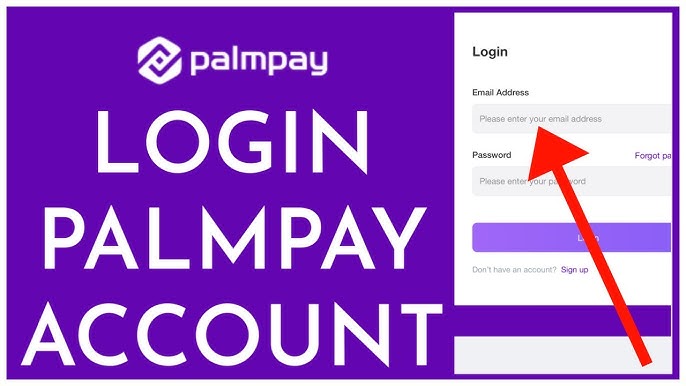
PalmPay is a popular digital wallet and mobile banking app that allows users to send and receive money, pay bills, buy airtime, and manage their finances conveniently from one platform. To enjoy all these services, users must first understand how the PalmPay login process works. This guide explains everything you need to know about logging into PalmPay safely and without hassle.
What Is PalmPay?
PalmPay is a fintech mobile application widely used in several African countries, especially Nigeria. It offers fast financial transactions, cashback rewards, bill payments, and savings options. With a user-friendly interface and strong security features, PalmPay has become a trusted choice for millions of users.
How to Log In to PalmPay
Logging into PalmPay is simple and only takes a few steps:
- Download the PalmPay App
Install the PalmPay app from the Google Play Store or Apple App Store. - Open the App
Launch the app on your smartphone. - Enter Your Registered Phone Number
Use the phone number you used during registration. - Verify with OTP or Password
PalmPay may send a One-Time Password (OTP) to your phone, or you may be asked to enter your secure PIN/password. - Access Your Account
Once verified, you’ll be logged in and can start using PalmPay services.
PalmPay Login via New Device
If you’re logging in from a new phone or device:
- You’ll need to verify your identity using an OTP.
- Additional security checks may be required.
- This helps protect your account from unauthorized access.
Common PalmPay Login Problems and Solutions
Here are some common login issues and how to fix them:
1. Incorrect Phone Number
Make sure you’re using the phone number linked to your PalmPay account.
2. OTP Not Received
- Check your network connection.
- Wait a few seconds and request a new OTP.
- Ensure your phone can receive SMS.
3. Forgotten PIN or Password
Use the “Forgot PIN” or “Reset Password” option on the login screen and follow the instructions.
4. App Not Working
- Update the PalmPay app to the latest version.
- Clear app cache or reinstall the app if needed.
PalmPay Login Security Tips
To keep your PalmPay account safe:
- Never share your PIN, password, or OTP with anyone.
- Use a strong and unique PIN.
- Avoid logging in on public or shared devices.
- Always log out after using the app on someone else’s phone.
Benefits of Logging into PalmPay
Once logged in, you can enjoy:
- Instant money transfers
- Airtime and data purchases
- Utility and bill payments
- Cashback rewards and discounts
- Secure savings and financial tracking
Conclusion
The PalmPay login process is designed to be quick, secure, and user-friendly. By following the correct steps and security tips, you can easily access your account and enjoy seamless digital banking services anytime, anywhere. Whether you’re paying bills or sending money, PalmPay makes financial transactions simple and reliable.
(FAQs) – PalmPay Login
1. How do I log in to my PalmPay account?
To log in, open the PalmPay app, enter your registered phone number, and verify your identity using the OTP sent to your phone or your secure PIN/password.
2. Can I log in to PalmPay without the app?
No. PalmPay login is only available through the official mobile application. There is currently no web or desktop login option.
3. What should I do if I don’t receive the OTP?
If you don’t receive the OTP:
- Check your mobile network signal
- Wait a few seconds and tap Resend OTP
- Ensure your phone number is active and able to receive SMS
Also Read: The Rise of Lauren Thompson: From Passion to Prominence
4. I forgot my PalmPay PIN. How can I reset it?
On the login screen, select Forgot PIN, enter your registered phone number, verify with the OTP, and follow the instructions to create a new PIN.
5. Can I log in to PalmPay on a new phone?
Yes. You can log in on a new device using your registered phone number. PalmPay will require OTP verification and may perform additional security checks.
6. Why is my PalmPay login not working?
Login issues may occur due to:
- Incorrect phone number or PIN
- Poor internet connection
- Outdated app version
- Temporary server issues
Updating the app or restarting your phone often fixes the problem.
7. Is PalmPay login secure?
Yes. PalmPay uses OTP verification, PIN protection, and advanced security systems to keep user accounts safe. Never share your login details with anyone.
8. Can I have multiple PalmPay accounts?
No. PalmPay allows only one account per phone number. Creating multiple accounts may lead to account restrictions.
9. What should I do if my account is locked?
If your account is locked due to failed login attempts, wait for a while and try again or contact PalmPay customer support through the app.
10. How do I contact PalmPay support for login issues?
You can contact PalmPay support directly from the app using the Help or Customer Support section for quick assistance.
