
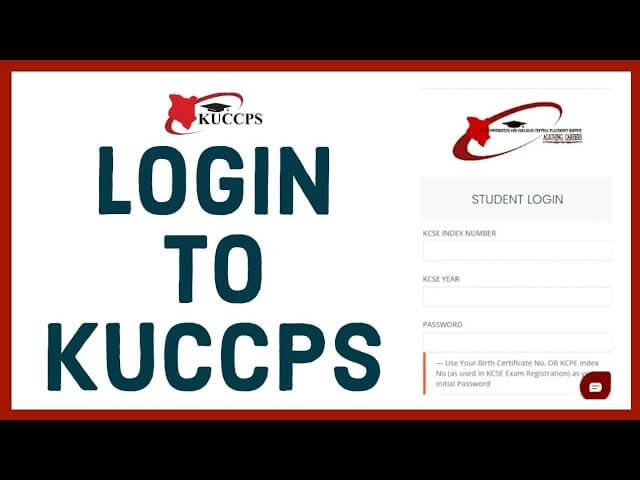
The Kenya Universities and Colleges Central Placement Service (KUCCPS) is the official body responsible for coordinating student placement into universities, colleges, and tertiary institutions in Kenya. For students, accessing the KUCCPS portal is crucial for checking placement status, submitting course choices, and updating personal information. This guide will walk you through the KUCCPS login process and tips for a smooth experience.
What is KUCCPS?
KUCCPS is a government agency that ensures fair and transparent placement of students into universities and colleges based on academic performance and preferences. The platform allows students to:
- Apply for university and college courses.
- Check their placement status.
- Access important notifications and updates.
- Manage their personal profile and course preferences.
How to Login to KUCCPS
Logging in to KUCCPS is a simple process, but first, ensure you have a valid account created during the registration period. Here’s a step-by-step guide:
- Visit the KUCCPS Portal:
Open your web browser and go to the official KUCCPS website: https://www.kuccps.ac.ke. - Click on ‘Student Login’:
On the homepage, you will see a login option. Click on it to access the login page. - Enter Your Credentials:
- KCSE Index Number: Enter the index number from your Kenya Certificate of Secondary Education (KCSE).
- Password: Enter the password you created during registration.
- Solve the CAPTCHA:
Some login pages require solving a CAPTCHA to verify you’re not a robot. Complete it carefully. - Click ‘Login’:
After entering your details correctly, click the login button. You will be redirected to your KUCCPS dashboard.
Troubleshooting Login Issues
Sometimes, students face difficulties logging into their KUCCPS account. Here are common issues and how to resolve them:
- Forgot Password: Click on the “Forgot Password” link and follow the instructions to reset it.
- Incorrect KCSE Index Number: Double-check your KCSE index number for accuracy.
- Browser Issues: Use an updated web browser like Chrome or Firefox for better compatibility.
- Account Locked: If multiple failed login attempts occur, contact KUCCPS support for assistance.
KUCCPS Login Tips
- Always ensure you have a stable internet connection.
- Keep your KCSE index number and password safe.
- Regularly check the KUCCPS portal for updates on placements and deadlines.
- Avoid using public computers to log in for security reasons.
Conclusion
Accessing the KUCCPS portal is essential for students navigating higher education in Kenya. By following this simple login guide, you can stay updated on your placements and manage your academic profile with ease. Remember, keeping your login details secure and checking the portal regularly will ensure you never miss important information.
FAQs KUCCPS Login
1. What is KUCCPS?
KUCCPS (Kenya Universities and Colleges Central Placement Service) is a government agency that manages student placement into universities and colleges in Kenya based on academic performance and course preferences.
2. How do I login to KUCCPS?
To login:
- Visit https://www.kuccps.ac.ke.
- Click on “Student Login.”
- Enter your KCSE Index Number and password.
- Solve the CAPTCHA if prompted and click “Login.”
3. What should I do if I forget my password?
Click on the “Forgot Password” link on the login page, enter your KCSE Index Number, and follow the instructions to reset your password.
Also Read: The Rise of Naomi Battrick: A Talent Shaping the Screen
4. Why can’t I login to my KUCCPS account?
Common reasons include:
- Incorrect KCSE Index Number or password
- Browser compatibility issues (use Chrome or Firefox)
- Account temporarily locked due to multiple failed attempts
If issues persist, contact KUCCPS support.
5. Can I change my KUCCPS login details?
Yes, you can update your password from your KUCCPS dashboard. For username or KCSE Index Number changes, contact KUCCPS directly.
6. Is KUCCPS login free?
Yes, accessing the KUCCPS portal is completely free for all registered students.
7. Can I access KUCCPS on my mobile phone?
Yes, KUCCPS portal is mobile-friendly and can be accessed from smartphones, tablets, or computers.
8. How do I ensure my KUCCPS account is secure?
- Do not share your password
- Avoid using public or shared computers
- Use a strong password and update it regularly
