
If you are a business owner, importer, exporter, or customs agent in Tanzania, you’ve likely come across TANCIS—the Tanzania Customs Integrated System. This online platform, developed by the Tanzania Revenue Authority (TRA), streamlines customs clearance processes and enhances trade efficiency. In this article, we’ll walk you through everything you need to know about TANCIS Login, registration, features, and troubleshooting tips.
What is TANCIS?
TANCIS (Tanzania Customs Integrated System) is an electronic platform created by the TRA (Tanzania Revenue Authority) to automate customs processes. It enables users to manage import and export declarations, cargo tracking, tax payments, and document submissions—all online.
The system aims to:
- Simplify customs operations
- Reduce clearance times
- Improve transparency
- Ensure accurate revenue collection
TANCIS Login Portal
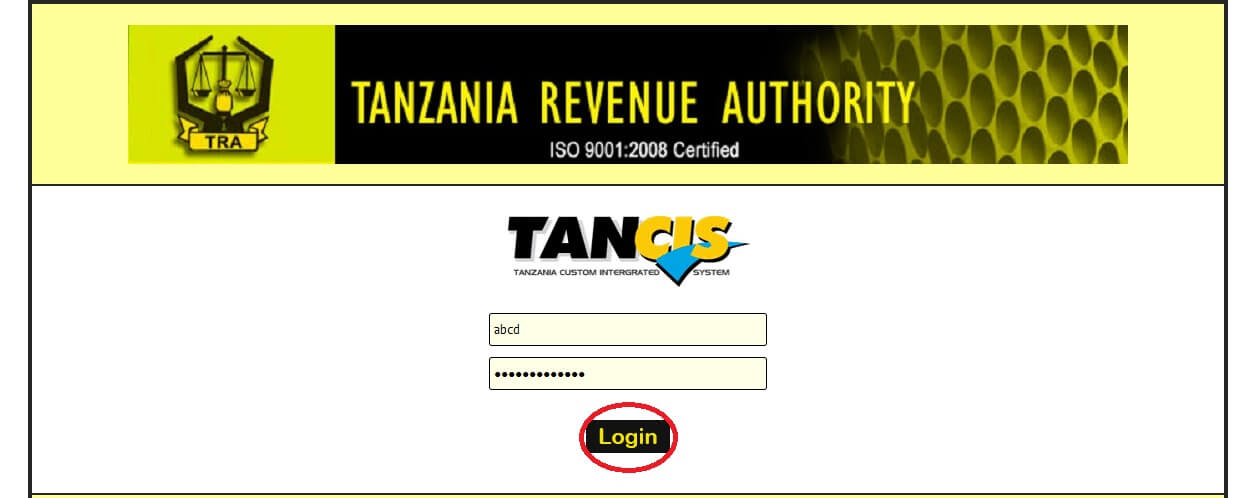
The official TANCIS login portal can be accessed through the TRA website. It allows registered users such as customs agents, importers, exporters, and freight forwarders to access their TANCIS accounts securely.
TANCIS Login URL:
👉 https://tancis.tra.go.tz
How to Log in to TANCIS
Follow these simple steps to access your TANCIS account:
- Visit the Official Website:
Go to https://tancis.tra.go.tz. - Click on “Login”:
On the homepage, locate the login section. - Enter Your Credentials:
- Username (usually your TIN or registered ID)
- Password
- Submit the Form:
Click on the “Login” button to access your dashboard.
Once logged in, you can manage customs declarations, view shipment statuses, and perform other related tasks.
How to Register on TANCIS
If you are a new user, you need to register before logging in. Here’s how:
- Visit the TANCIS portal.
- Click on “New Registration” or “Sign Up”.
- Provide the required details:
- TIN (Taxpayer Identification Number)
- Business Name
- Email address
- Contact information
- Create a secure password.
- Verify your email or mobile number.
- Once approved, log in using your new credentials.
Key Features of TANCIS
TANCIS offers a wide range of online tools to make customs management more efficient:
- Electronic Declaration Submission – File import and export declarations digitally.
- Cargo Management – Track shipment and clearance status in real-time.
- Tax Assessment & Payment – Calculate duties and pay online.
- Document Management – Upload, store, and retrieve documents electronically.
- Integrated Communication – Send and receive messages between customs officers and agents.
Benefits of Using TANCIS
- Faster customs clearance process
- Reduced paperwork and manual errors
- Enhanced transparency and accountability
- 24/7 online accessibility
- Secure online transactions and records
Common Login Issues and Solutions
1. Forgot Password:
Click on “Forgot Password” on the login page and follow the prompts to reset it.
2. Invalid Credentials:
Double-check your username and password or contact TRA support.
3. System Downtime:
If the site isn’t loading, it may be undergoing maintenance. Wait and try again later.
4. Browser Compatibility:
Ensure you are using an updated browser such as Chrome, Edge, or Firefox.
TANCIS Customer Support
If you face technical issues or need help with your account, contact TRA support through the following channels:
- Email: info@tra.go.tz
- Phone: +255 22 2119591 / 4
- Website: https://www.tra.go.tz
- Office: Tanzania Revenue Authority Headquarters, Dar es Salaam
Conclusion
The TANCIS Login portal is a vital tool for anyone involved in Tanzania’s import and export trade. It enhances efficiency, reduces delays, and ensures transparent customs management. By following the steps above, you can easily log in, register, and manage your customs activities online through TANCIS.
FAQs About TANCIS Login
Q1. What is TANCIS?
TANCIS stands for Tanzania Customs Integrated System, an online platform by TRA for managing customs operations.
Also Read: Trajecsys Login Guide – Access Your Clinical Management System Easily
Q2. Who can use TANCIS?
Importers, exporters, customs agents, and other registered TRA users.
Q3. What if I forget my TANCIS password?
Use the “Forgot Password” link on the login page to reset it.
Q4. Is TANCIS available 24/7?
Yes, the system operates round the clock, except during maintenance.
Q5. Where can I contact support for login issues?
You can reach TRA support via info@tra.go.tz or call their helpline.
